Hide and Seek Tech Demo
This demo uses an older version of Colyseus.
Requirements
- Node.js v14.0 or higher
- Colyseus 0.14.20
- Colyseus Client SDK 0.14.13
- Babylon.js Editor 4.4.0 or higher
Introduction
The purpose of this technical demo is to show how to use Colyseus with the Babylon.js Editor. The following documentation covers installing and using the Colyseus SDK, as well as locally running a Colyseus server. The demo is designed to work with Colyseus version 0.14.20 and Babylon.js Editor version 4.4.0. This demo, “Hide and Seek”, is a simple game where players are randomly assigned the role of Hider (ghost) or the lone Seeker (pumpkin head). In order for the Hiders to win they need to evade the Seeker until time runs out.
Download Demo (View source code)
Getting Started
Colyseus SDK/Framework
You need to install and launch the server from the provided Server directory for this demo to function properly. To run the demonstration server locally, run the following commands in your terminal:
cd Server
npm install
npm start- Install the server before you attempt to run or open the project in the editor, or compilation errors will result. The errors happen because client code references class types from the server code, for development convenience.
- When opening the demo in the Babylon.js Editor some
.jsfiles will be generated in the Server folder alongside their original.tssource files. When launching the server locally (vianpm start) those.jsfiles are removed to prevent runtime issues.
Colyseus Client SDK
You do not need to install the Colyseus client SDK manually for this demo. The Babylon.js Editor installs it automatically, because it is listed as a dependency in the package.json of the project workspace. If needed, manual instructions on how to install the Colyseus client SDK in the Babylon.js Editor can be found here.
Colyseus Server Settings
All server settings are defined in .env files located in the Babylon.js Editor workspace here:
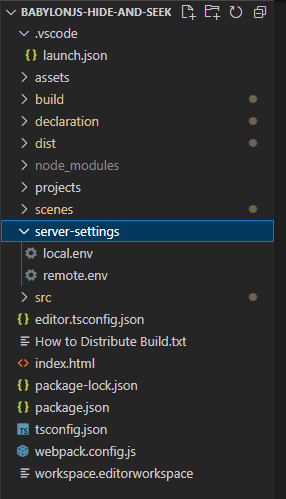
If you are running a local server, the local settings should be sufficient. However if you wish to host a server you’ll need to change the Colyseus Server Address and Colyseus Server Port values accordingly. For example the remote settings used to connect to the live demo on Arena are included.
By default the editor will load server settings from the local.env file.
Playing the Demo
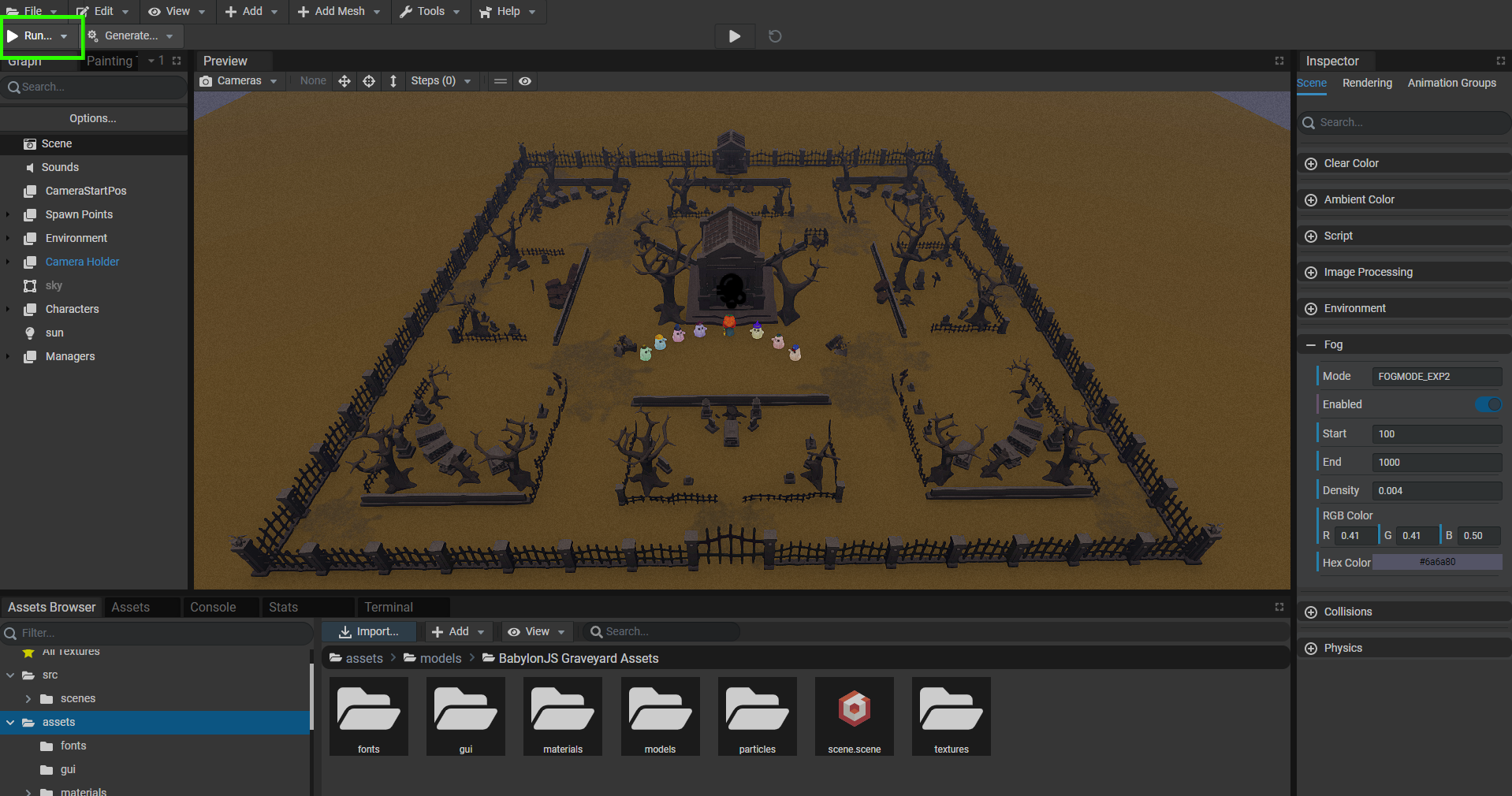
There is only one scene and the editor should load it automatically when opening the workspace. You can click the Run button at the top left of the editor (highlighted in green) and that will open a player window. To create or join an existing room you can simply click the Quick Play button. An overlay displaying Joining... should appear and if successful it will disappear revealing the lobby UI.
By default a minimum of three players is required to start a match, but you can adjust that, as noted in the section below. If necessary you can open multiple client instances to satisfy the player requirement.
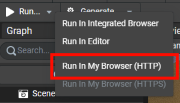
- For better performance, try running the client in your browser rather than the editor’s integrated browser (right click the “Run” button)
- If you cannot reach the lobby UI confirm your local server is working properly and check the editor logs for errors.
Controls
Player movement: W, A, S, & D keys.
Demo Gameplay Mechanics
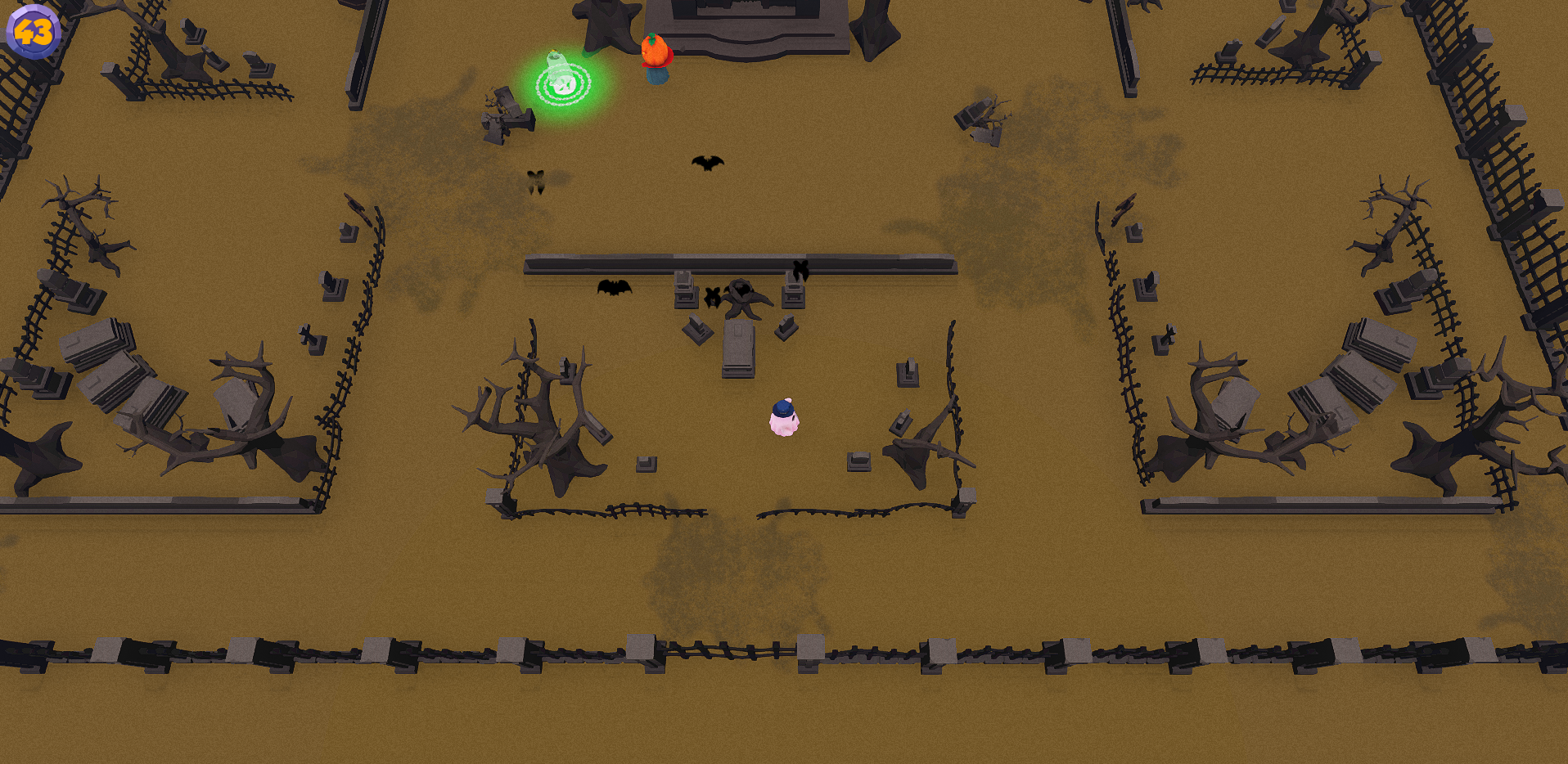
- All players start near the center of the arena in front of the mausoleum
- A round of play lasts 60 seconds. Time left in the round is viewable in the top left corner of the screen
Seeker:
- The Seeker wins if they find all the Hiders within the countdown
- The Seeker cannot directly see the Hiders until they are captured
- There are various traps spread out over the arena that betray a Hider’s position to the Seeker
- Mud puddles will cause you to leave a trail of muddy footprints for a short period of time
- Spirits may be disturbed from their abodes
- Bats may be startled from their resting places
Hider:
- Hiders have 3 seconds to scatter before the Seeker is able to seek
- Hiders win if one or more stay hidden at the end of the round
- A Hider is captured when they enter the Seeker’s FOV, or when they get within about a unit of the Seeker in any direction
- Current FOV is 60 degrees out for 7 units
- When captured a Hider cannot move
- Denoted by a green glow with chains at the foot of the Hider
- A Hider that has been captured can be rescued by another Hider only one time before being permanently caught
- To rescue a captured Hider a fellow Hider just needs to stand right next to them for one second
Adjusting the Demo
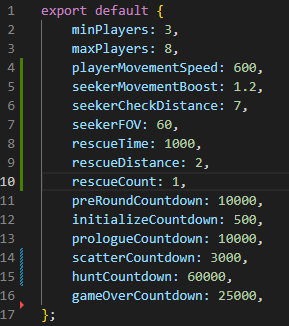
As you play around with this demo, you may want to make some adjustments to better familiarize yourself with what is happening. Below, you’ll learn how to make these minor adjustments. Most adjustable values are defined in gameConfig.ts in the Server folder at Server/src/gameConfig.ts
Player Requirements
minPlayers represents the minimum number of players required to start a round of play. maxPlayers represents the max number of players allowed to join a room. There is a max of 8 players permitted per room for the demo. You can reduce the max player count, but increasing it past 8 will cause issues.
Player Movement
There are two values that affect player movement speed. The base player speed is defined by playerMovementSpeed and that applies to both the Hiders and the Seeker. The Seeker gets a speed boost defined by seekerMovementBoost and is set to 1.2 by default. Using that value the speed boost means the Seeker gets to move 1.2 as fast (or 20% faster) than the Hiders.
Seeker’s Vision
The Seeker’s ability to capture Hiders is based on it’s vision defined by it’s field of view(FOV) and viewing distance. Both values are defined in the config as seekerFOV and seekerCheckDistance respectively.
Rescuing Captured Hiders
There are two values involved with rescuing Hiders. rescueDistance controls the max distance another Hider can be in order to rescue their friend. rescueTime is the time, in milliseconds, it takes to rescue a Hider.
Various Countdowns
There are various countdowns that can be adjusted; all are denoted with a Countdown suffix and affect the time between game states. All values are assumed to be in milliseconds:
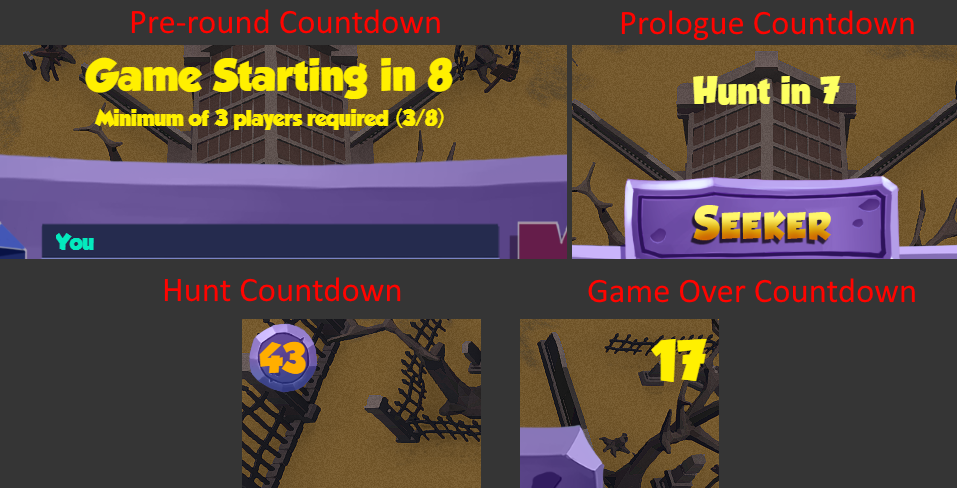
preRoundCountdown: time spent in lobby before the room locks and a game begins; begins when the minimum number of players have joined.initializedCountdown: a brief pause after the server initializes the room for a round of play. This pause gives clients time to receive updated schemas and handle spawning before the prologue state.prologueCountdown: the prologue countdown is the total time before the Seeker is allow to pursue Hiders. The prologue countdown is partnered with the scatter countdown. The time Hiders have to read their role isprologueCountdown - scatterCountdownscatterCountdown: the time that Hiders have to scatter before the Seeker is allowed to pursue.huntCountdown: the length of a round of play; the time the Seeker has to hunt for the Hiders.gameOverCountdown: the time spent on the post game lobby UI.